
Knowledge base
Write project notes that you and your agents can use.
Use the knowledge base for facts and decisions you want to write down deliberately. Notes are Markdown files, and Atlas indexes them alongside memory so agents can find them.
Open Knowledge from the bottom of the sidebar, or press ⌥J. It needs an open project. Knowledge opens as a full page while your session keeps running; press Esc, select the back arrow in the bar, or press ⌥J again to return to the session.
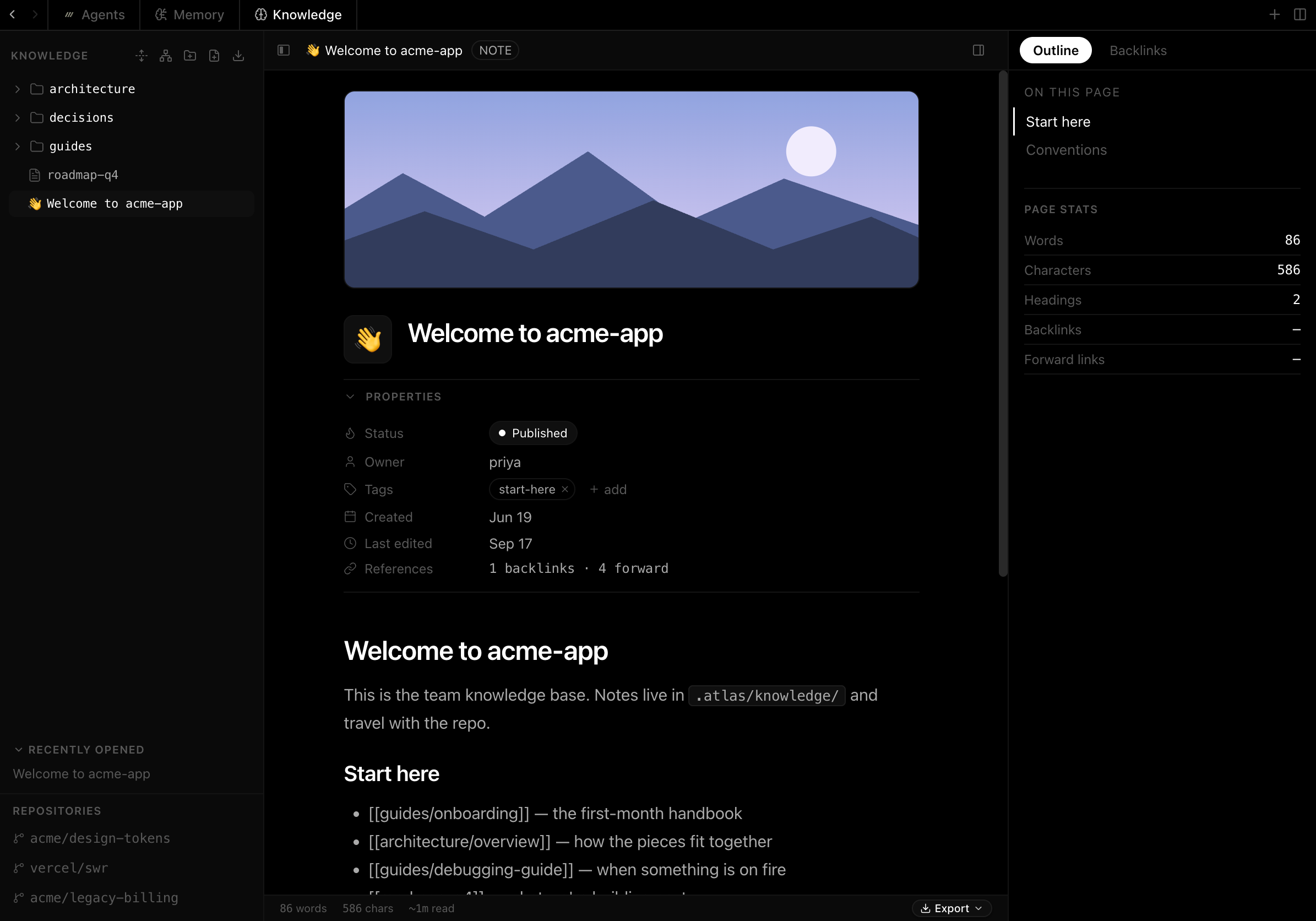
Write a note
The block editor works like a document, not a code editor:
- type
/for the block menu: headings, lists, callouts, toggles and code blocks - type
~to link another note; each note lists the notes that link to it - type
@to mention a file, a folder or other project context - add an icon, a cover and properties such as status, owner and tags
Press ⌘S to save, ⌘; to show or hide the notes sidebar, and ⌘' to open the inspector for the current note.
Find your way around
Press ⌘F to jump to a note by title. Choose Open graph view in the sidebar to see how your notes link to each other.
To bring in notes you already have, choose Import notes / folder in the sidebar. Atlas copies Markdown files and folders, such as an Obsidian vault, and keeps their folder structure.
Give a note to an agent
Type @ in the composer and select a note. Atlas attaches its contents as a visible context block, so you know exactly what the agent received.
Agents that use shared memory can also find relevant notes on their own when they search.
Going the other way, the Save button at the end of an agent's turn saves that conversation to the knowledge base as a note.
Export your notes
Open the export menu at the bottom of a note to save a copy outside Atlas:
- Export note as .md or as .html for the current note
- Export project as .md or as .html for every note in the project
- Export server to build a single program that serves your notes as a website on your machine. When you run it, it opens your browser at the notes. Building it needs Rust's
cargoon yourPATH, and the first build takes about a minute.
Where notes live
Notes are stored in the project's .atlas/knowledge/ directory. Atlas adds .atlas/ to the project's .gitignore by default, so your notes stay on your machine and are not shared with your team.
Team documentation that lives in git and that agents and people both work from is on the roadmap as the Handbook.