
Usage
See agent usage and spend across your projects.
Use Usage to see where tokens, messages, sessions and estimated cost went across the active organization's projects. Open Usage from the bottom of the sidebar. It opens as a full page while your session keeps running; press Esc or select the back arrow in the bar to return to the session.
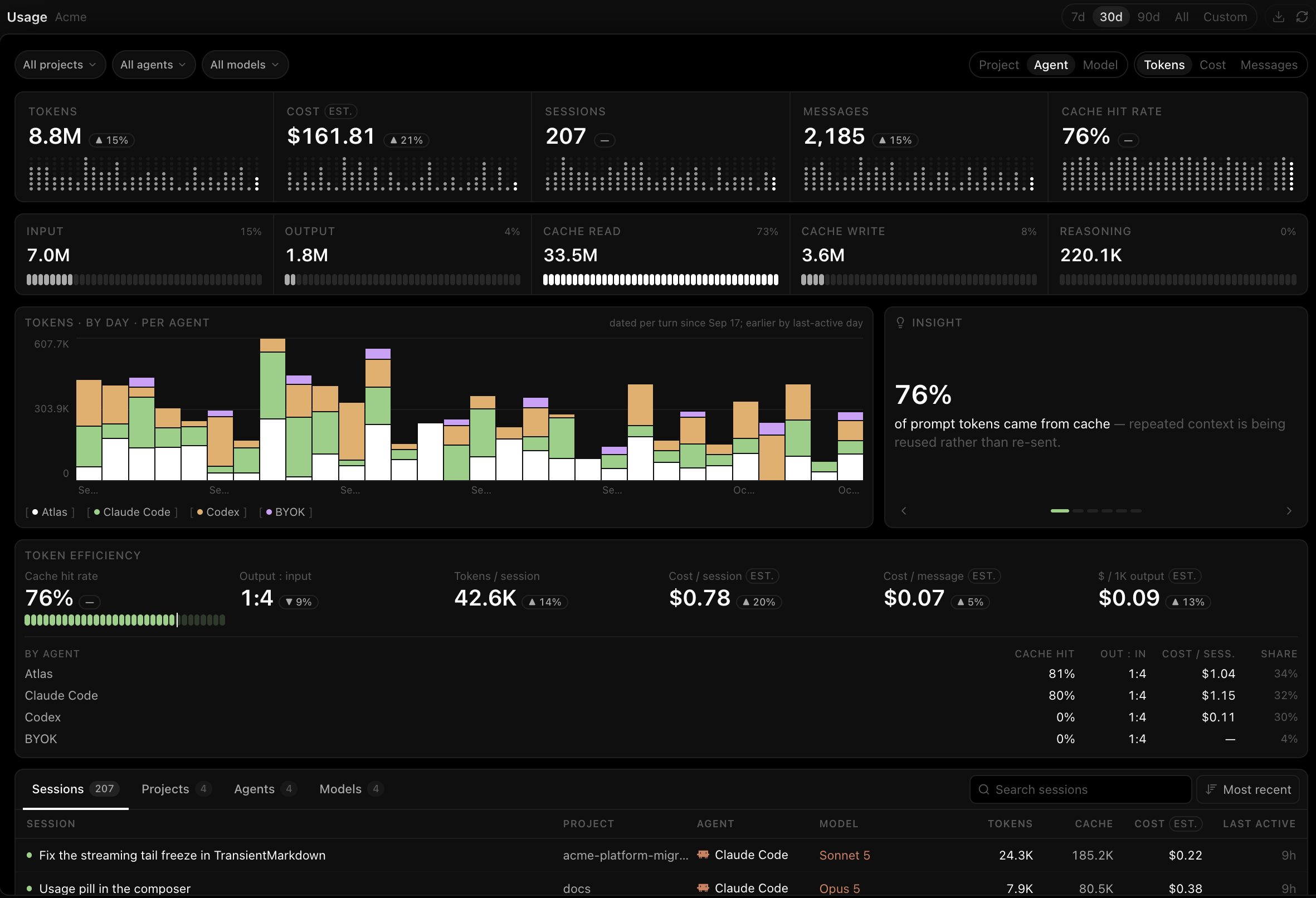
Review your usage
Choose 7, 30 or 90 days, a custom range, or everything. Atlas shows totals for tokens, messages, sessions and estimated cost.
Below the totals:
- a daily chart you can group by Project, Agent or Model, showing Tokens, Cost or Messages
- filters for one project, agent or model
- efficiency figures: cache hit rate, output to input ratio, and tokens per session
- searchable, sortable tables of sessions, projects, agents and models
Where an agent reports them, token totals include cache reads, cache writes and reasoning tokens. Estimated cost uses per-model prices from models.dev, in US dollars.
Usage reads Atlas's own record of the sessions on this machine, so it is not limited to a fixed list of agents. An agent contributes token detail only when its ACP implementation reports usage. An unknown or unpriced model still contributes recorded tokens but has no invented fallback cost.
See your team's usage
This page covers the sessions you ran on this machine. Your organization's spend on Atlas Agent, broken down by person and held to budgets, is in the web app. See AI access & spend. To set your team's spend against the commits it shipped, see ROI.
Export a report
Export the current view as a PDF report, a JPEG image or a Markdown report, or copy it as Markdown.
Next
- AI access & spend: budgets and spend for your organization
- ROI: your organization's AI spend against the commits it shipped
- Timeline: see the work behind each project
- Agents: understand how agent capabilities vary